Nova · voice & vision
What is VHRNova’s Physical AI interface?
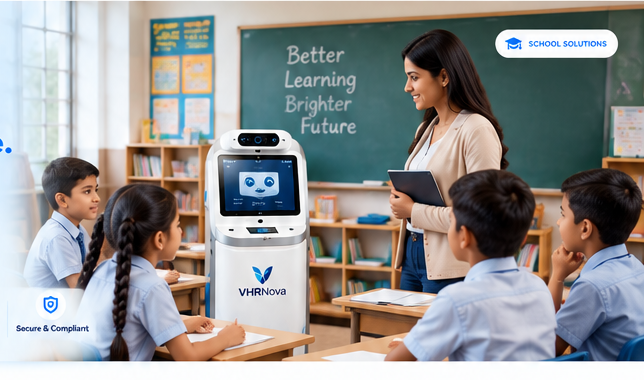
It is a secure channel—not a separate product brain—so people can say “Hey Nova” on a phone or tablet in a lobby or classroom and reach the same human-governed agents you use on web and WhatsApp.
How does the device gateway connect to agents?
- Device registers with tenant credentials and policy bundle.
- Wake phrase opens a session; audio streams to VHRNova orchestration.
- Agents call typed tools (lookup, ticket, message draft) with approvals.
- Responses play on-device; sensitive actions wait for staff confirmation.
VHRNova does not claim to manufacture a commercial humanoid robot. Prototype hardware is commonly an Android handset; tablet kiosks and future enclosures are roadmap items described transparently.

What offline behavior should guests or students expect?
Networks fail. Devices can store approved short scripts—hours, emergency numbers, “please speak to the front desk”—and sync queued requests when back online. Live inventory, medical, or fee data always needs connectivity or staff.
| Mode | Capability |
|---|---|
| Online | Full agent tools with audit logs |
| Degraded | Cached FAQs + ticket capture |
| Offline | Static safety message and human direction |
| Channel | Best for | Limitation |
|---|---|---|
| Hey Nova on tablet/phone | Lobbies, labs, reception desks | Requires paired device and policy bundle |
| WhatsApp / web chat | Remote customers and staff | Not hands-free on-site |
| Standalone voice gadget | Consumer demos | Often no tenant audit or approvals |
| Future robot enclosure | Roadmap only today | Not a current commercial SKU from VHRNova |
How to get started
- Pick a physical location (reception, school lab, hotel desk) and one FAQ or lookup workflow.
- Confirm privacy rules for microphone and optional camera with your team.
- Pair a prototype Android device to the same governed agents you use on web or WhatsApp.
- Test online, degraded, and offline scripts with staff before visitors rely on voice alone.
Vertical starting points: schools, healthcare reception, hotels, and custom agent backends.
Frequently asked questions
What is Physical AI here?
Device channel to the same cloud agents—not a standalone chatbot chip.
Do you sell robots?
Not commercially today; Android prototypes and honest roadmap only.
Hey Nova wake phrase?
Starts authenticated sessions on supported hardware.
Offline?
Limited cached content; live data needs network or staff.
Security?
Paired devices, tokens, policy-bound tools.
Use cases?
Schools, hospitals, hotels—see vertical pages.
Camera / vision?
Opt-in flows per privacy review.
Languages?
Same packs as cloud agents.
Hardware?
Android phone/tablet first.
Custom agents?
See custom AI agents for orchestration.
Company: VHRNova
Phone: +91 9014517532
Address: 3rd Floor, 302, SM Reddy Complex, Near Image Garden Function Hall, Madhapur, Hyderabad, Telangana, 500081, India
Web: https://vhrnova.com/contact.html
Physical AI
Try voice where your users already stand
Lobby, lab, or reception—we will scope device + agent together.
Contact Us✓ Secure gateway
✓ Offline honesty
✓ Same governed backend